

Real Peace of Mind for Families | Feel Safer with Caretaker
Keep Your Family Safe with Caretaker
Reminding Mom to take her pills. Tracking Dad's appointments. Checking in three times a day to make sure they're okay.
It's a lot to carry — and you can't always be there.
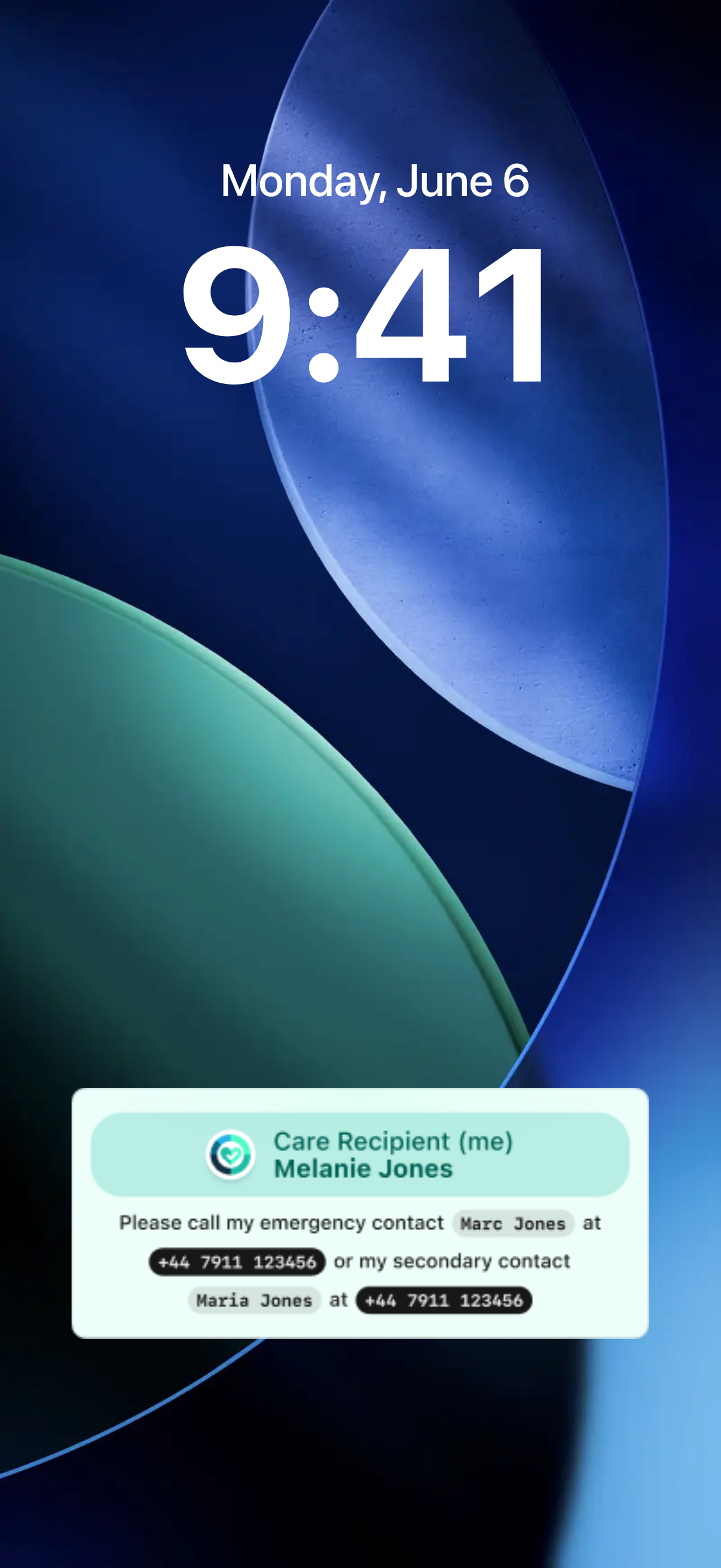
Who to call, right on their lock screen
When Mom or Dad leaves home, their name and your number show up. No unlocking needed.
Real Peace of Mind for Families | Feel Safer with Caretaker
Keep Your Family Safe with Caretaker
Reminding Mom to take her pills. Tracking Dad's appointments. Checking in three times a day to make sure they're okay.
It's a lot to carry — and you can't always be there.
Caretaker is the simple, complete app built for families like yours. It quietly looks after the daily things, alerts you the moment something matters, and keeps the whole family on the same page.
Only $25 for first 100 buyers. Then the price increases to $299.
One-time payment • No monthly fees ever • 30-day money-back guarantee
Who to call, right on their lock screen
When Mom or Dad leaves home, their name and your number show up. No unlocking needed.
Caretaker is the simple, complete app built for families like yours. It quietly looks after the daily things, alerts you the moment something matters, and keeps the whole family on the same page.
Only $25 for first 100 buyers. Then the price increases to $299.
One-time payment • No monthly fees ever • 30-day money-back guarantee
Get started in 3 easy steps
Step 1 (current): Get your Lifetime Deal today
One payment, no monthly fees. Only while this $25 batch lasts.
Step 2: Download the Caretaker app
Lifetime deal covers up to 5 family members. Pay once, own forever.
Step 3: Set up your Family Circle
Invite your loved one and family in minutes.
Loved by 2,600+ families
Tired of being the one who remembers everything?
The complete solution in one gentle app — for the whole family.
_1778620837644-BkX-OQJa.webp)
Caretaker quietly checks in on your loved one every morning. They tap one big button — “I’m OK” or “I need help” — and you see the update instantly on your phone.
No more worried texts. No more “did Mom call you back?” between siblings. Just calm, daily reassurance for the whole family.
Set Mom’s medication schedule once — exactly the way the doctor writes it. Caretaker reminds her on her phone, and quietly tells you when she’s taken it (or hasn’t).
Three times a day between 9 am and 9 pm for seven days. Every Monday, Wednesday, and Friday. Whatever the prescription says, Caretaker handles it — so you don’t have to.
Set up the Emergency Widget once, with a primary and a secondary emergency contact. From then on, whenever they leave home, their name and your phone numbers appear on their lock screen. No unlocking the phone. No searching through contacts.
A passer-by or first responder sees who they are and who to call at a glance.
One large button on their home screen starts a video call straight to you. Their phone rings like a real call — even when it’s in their pocket, even when it’s silent.
No hunting through apps. No “can you hear me?” Just face-to-face, the moment you need it.
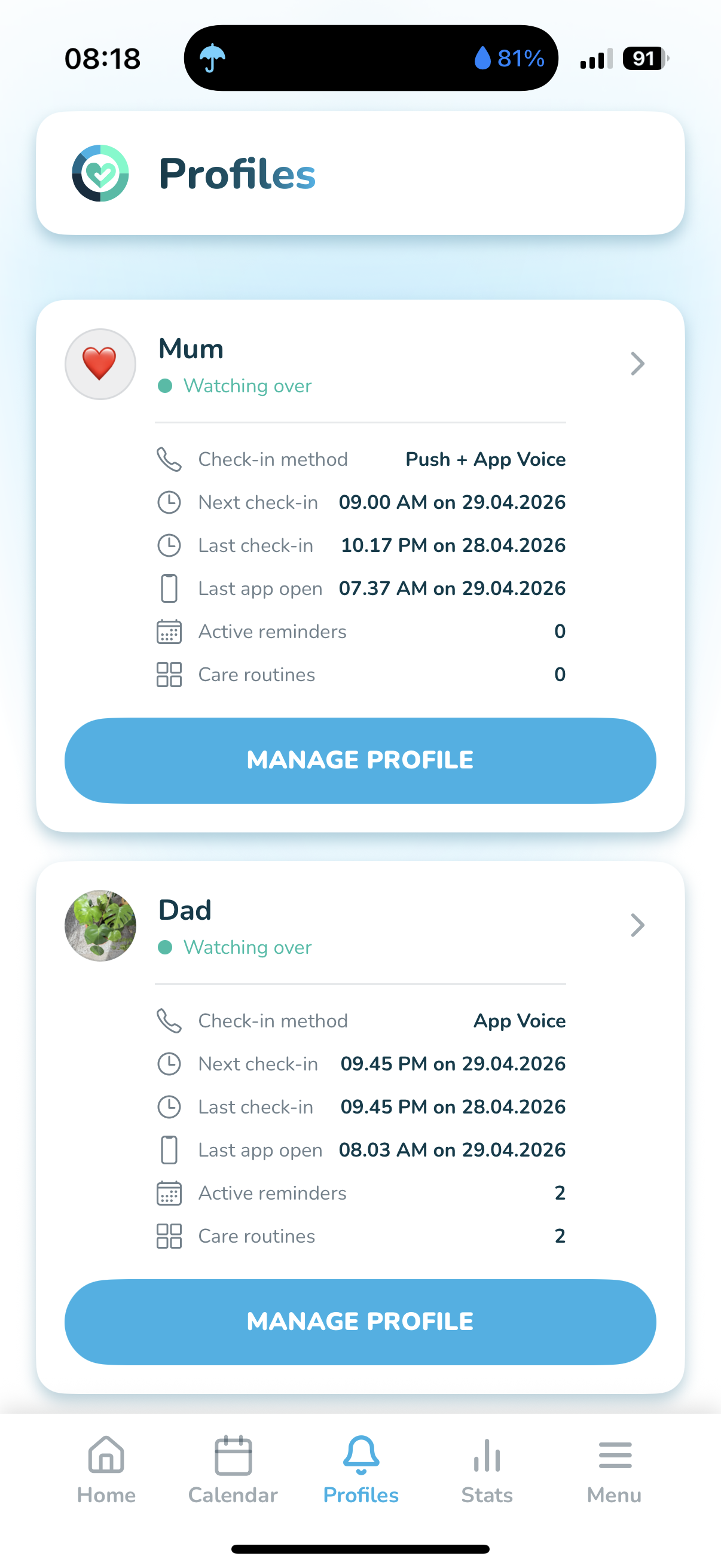
Add up to five family members and caregivers to one shared view. Everyone sees the same check-ins, the same reminders, the same updates — without group-text chaos and without anyone being the constant middle person.
Your loved one stays in charge of what’s shared. Your family stops worrying alone. Everyone helps, gently, in the same calm app.
Set it once. Caretaker quietly handles the rest — for everyone.
App in action
See how Caretaker helps you, your Mom and Dad
Daily check-in
Reminders
Location sharing
Emergency Widget
Mom and Dad, in one app
Video calls
What people say about Caretaker
My dad is 89 and still loves to go out. He got lost twice in 4 days. I was terrified no one would know who to call. Now my number is right on his lock screen.
Trying to help Mom and Dad
I was diagnosed with epilepsy 11 years ago. Now I feel safer. If I have a seizure, anyone near me can see my caregiver's number right on my lock screen. And the medication reminders are a must.
Love this concept. Will spread the word.
It would be SO useful to have reminders, calendar etc in the one app!

Pay Once. Own It for Life.
You’ve worked hard your whole life.
You shouldn’t have to keep paying for the things that simply make life a little easier.
Caretaker is yours forever — for one fair price.
No monthly bills. No surprise charges. No subscription renewals stealing money out of your bank account every year.
One single payment of $25 (usually $20 per month, you save over $1,175 over the course of five years and it’s yours forever)
All current feature updates included. Free. Forever.
Lock in your lifetime access today, before the price goes up to $299.
Monthly plan
$1,200+
over 5 years
Regular price: $20 per month
Lifetime
$25
once — yours forever
One-time payment • No monthly fees ever • 30-day money-back guarantee • Instant access on your phone
Safety Features at a Glance
Safety Tools Built for Real Life
Three quietly powerful tools, designed for the moments that matter most — built right into your phone.
Daily Check-in
Know they’re okay — without calling five times a day. Caretaker checks in on your loved one every day. You get a simple “all good” — and a heads-up the moment something isn’t.
Emergency Widget
If something happens outside the home, the right people can reach you fast. When your Mom or Dad leaves home, their name and your phone numbers appear on their lock screen, so anyone who finds them can see who to call — no unlocking, no searching.
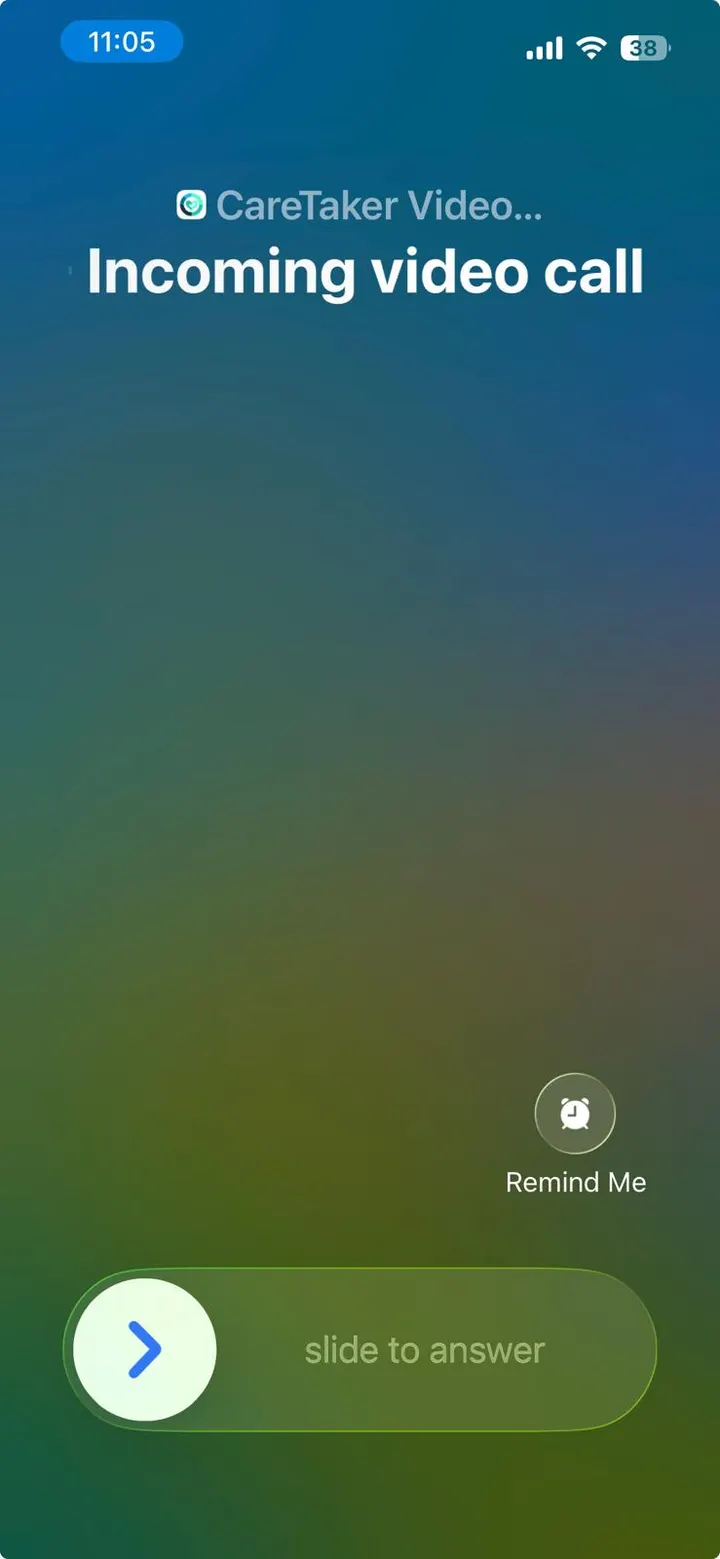
Emergency Video Call
See them, hear them, in one tap. When something feels off, you don’t have to wonder. One tap on their phone and you’re face-to-face — wherever you are.
Daily Check-in
Know they’re okay — without calling five times a day. Caretaker checks in on your loved one every day. You get a simple “all good” — and a heads-up the moment something isn’t.
Emergency Widget
If something happens outside the home, the right people can reach you fast. When your Mom or Dad leaves home, their name and your phone numbers appear on their lock screen, so anyone who finds them can see who to call — no unlocking, no searching.
Emergency Video Call
See them, hear them, in one tap. When something feels off, you don’t have to wonder. One tap on their phone and you’re face-to-face — wherever you are.
Buy Caretaker Lifetime Deal for $25
How check-ins work
A friendly nudge — and a real call if needed
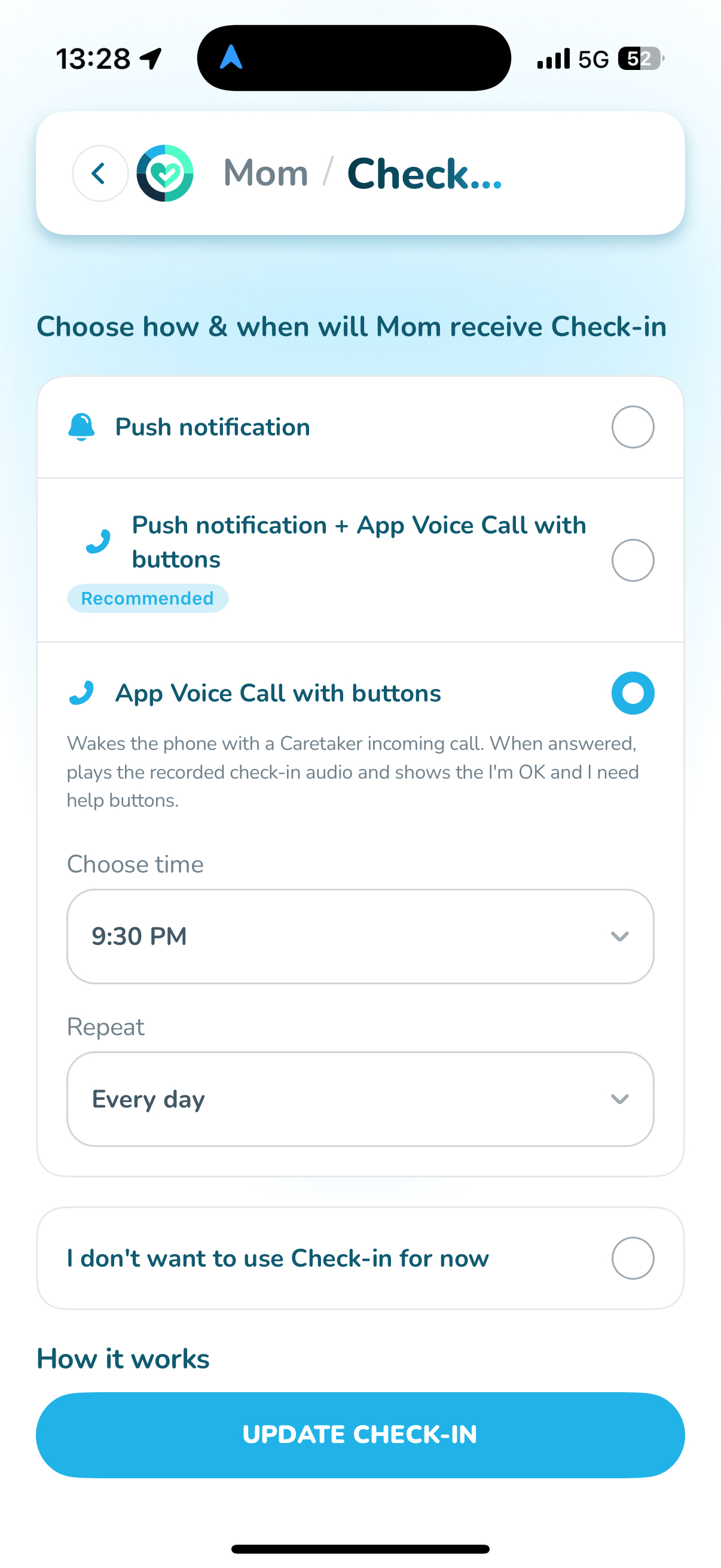
Pick the rhythm that fits your loved one's day. Caretaker sends a gentle push notification, an in-app voice call with simple I'm OK / I need help buttons, or both — and notifies you the moment they ask for help or miss a check-in.
Choose the method and time
You set when, how often, and how Mom or Dad receives their check-in (push, in-app voice call, or both).
They respond in one tap
When the check-in arrives, they tap I'm OK or I need help right inside the app — no typing, no app navigation.
You're notified instantly
If they tap I need help, miss the check-in, or don't answer the in-app call, you get an immediate alert with their last known location and an option to call them or start an emergency video call.
Pick the perfect method for them:
A gentle in-app nudge at the time you set.
Best of both worlds: a notification first, then an in-app voice call with I'm OK / I need help buttons if they don't respond.
Wakes the phone with a Caretaker incoming call that plays your recorded check-in audio and shows the I'm OK and I need help buttons.
Voice & SMS check-in (carrier-delivered, works on basic phones in selected countries) is also available — contact us to confirm availability for your country.
Buy Caretaker Lifetime Deal for $25
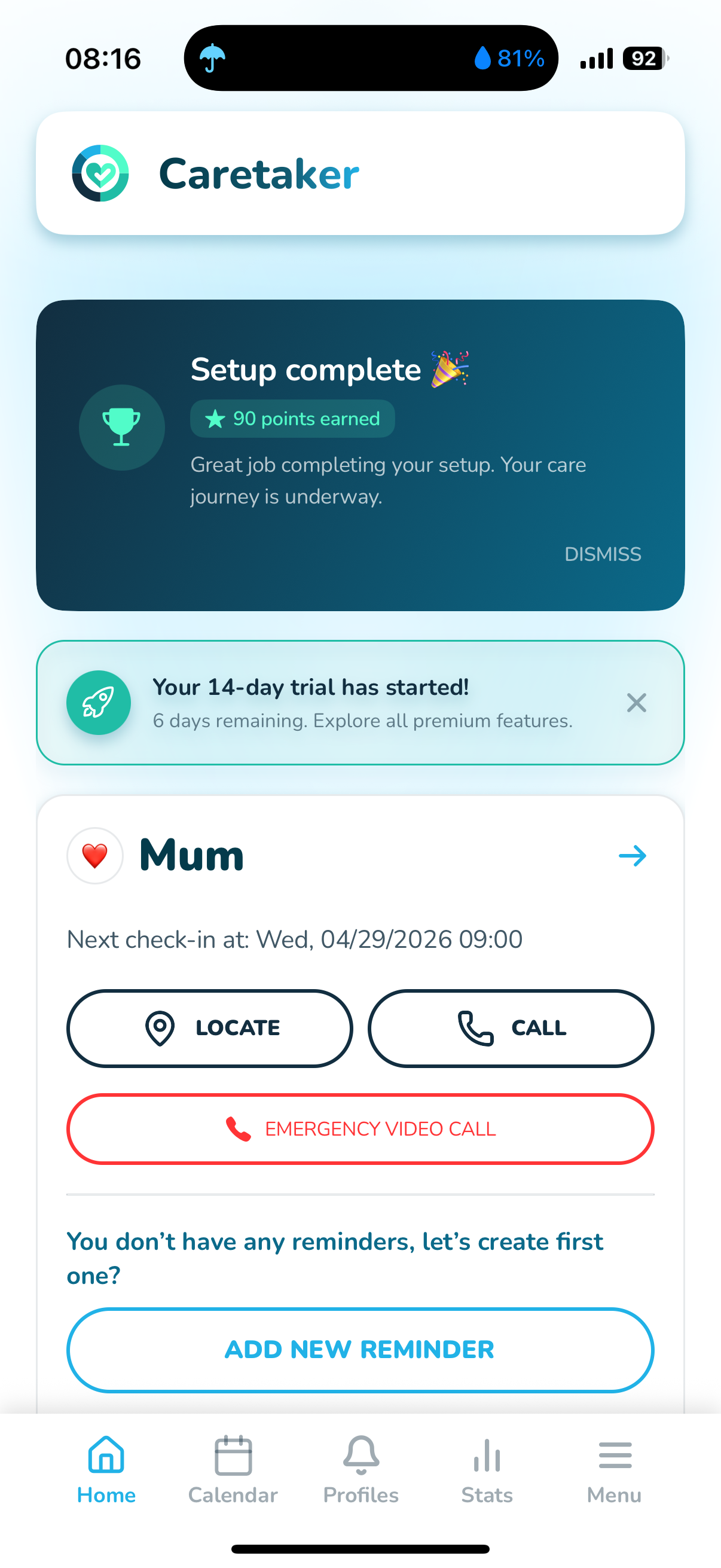
Daily Check-In
A simple tap each morning lets your whole family know you’re okay — without a single phone call.
Choose your time. Caretaker gently nudges you, you tap once, and everyone who cares about you gets quiet reassurance.
If you ever miss a check-in, your family is alerted right away. Calm independence, with a safety net you never see.
Buy Caretaker Lifetime Deal for $25
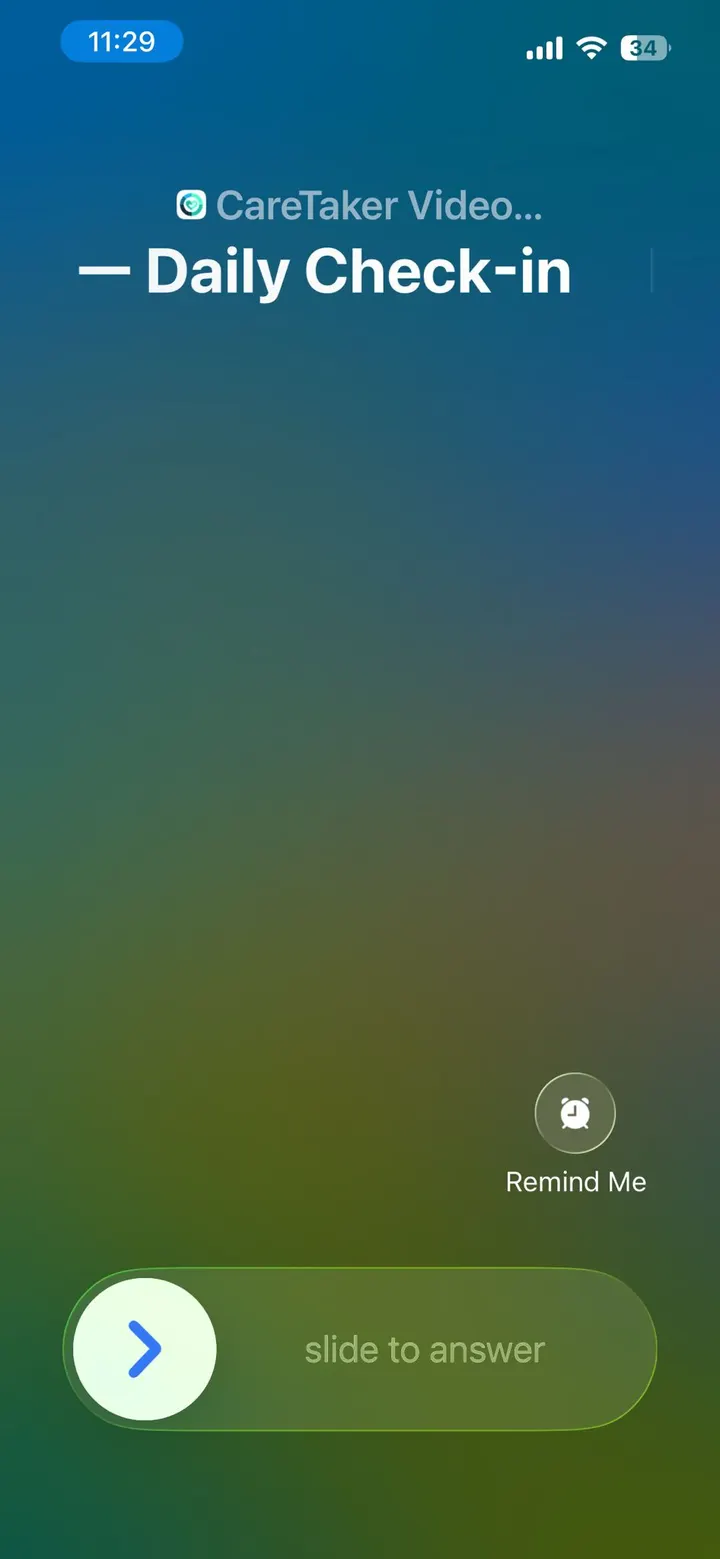
Smart reminders that fit real life
Most reminder apps give you the same tired choice — once, daily, or weekly. Real life isn’t that simple. Caretaker reminders bend to fit the way care actually works.
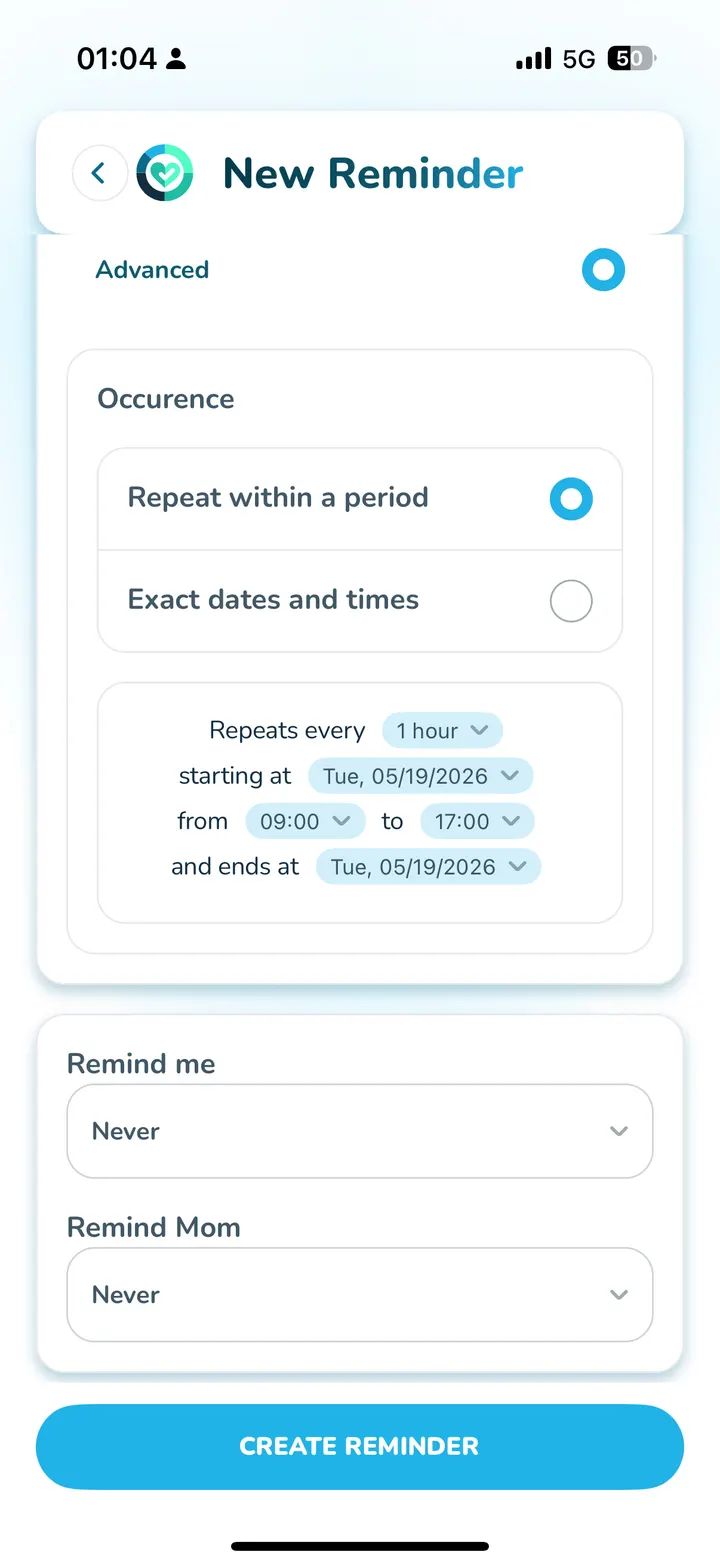
Repeat exactly the way a doctor would write it: three times a day between 9 am and 9 pm for the next seven days. Every Monday, Wednesday, and Friday for a month. Every 8 hours, around the clock, until the prescription runs out.
Pin reminders to the people who need them — yourself, mom, dad, or anyone you care for — and see them on a shared calendar that color-codes each loved one so nothing slips through the cracks.
Add notes, set a clear end date, and let the app handle the rest. Because the smartest reminder is the one that finally sticks.
Buy Caretaker Lifetime Deal for $25
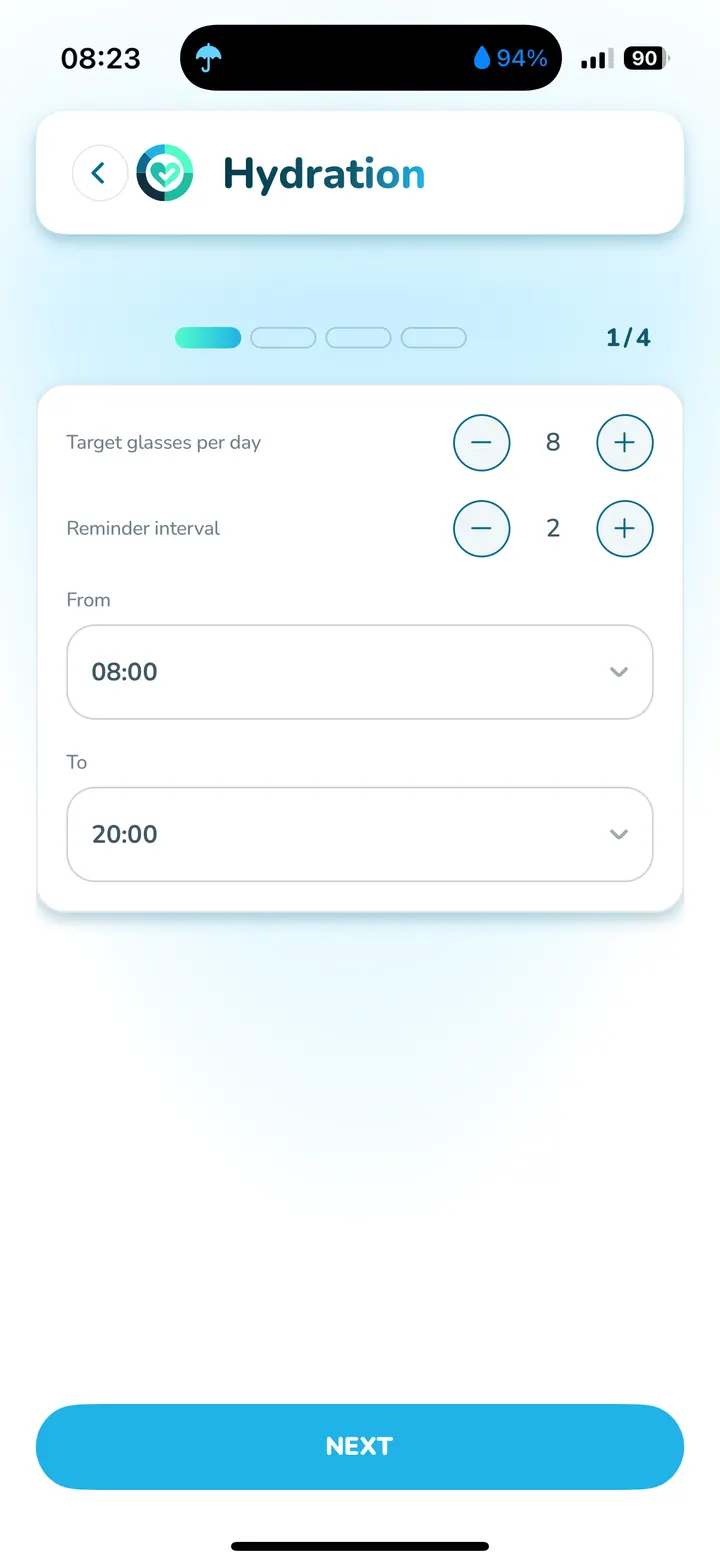
Care Routines & Notifications
Build gentle daily routines for the things that keep you well — drinking water, taking a walk, blood pressure, hydration, stretches.
Caretaker nudges you at the right moments and keeps a quiet record so you can see your healthy streaks grow.
Small kind reminders. Big difference over time.
Buy Caretaker Lifetime Deal for $25
Location Sharing
Quietly share your location with the family members you choose — and only them.
They’ll see when you’ve safely made it home, arrived at the doctor, or returned from your walk. No need to call to say “I made it.”
You can pause or turn it off any time. You stay in charge of your privacy.
Buy Caretaker Lifetime Deal for $25
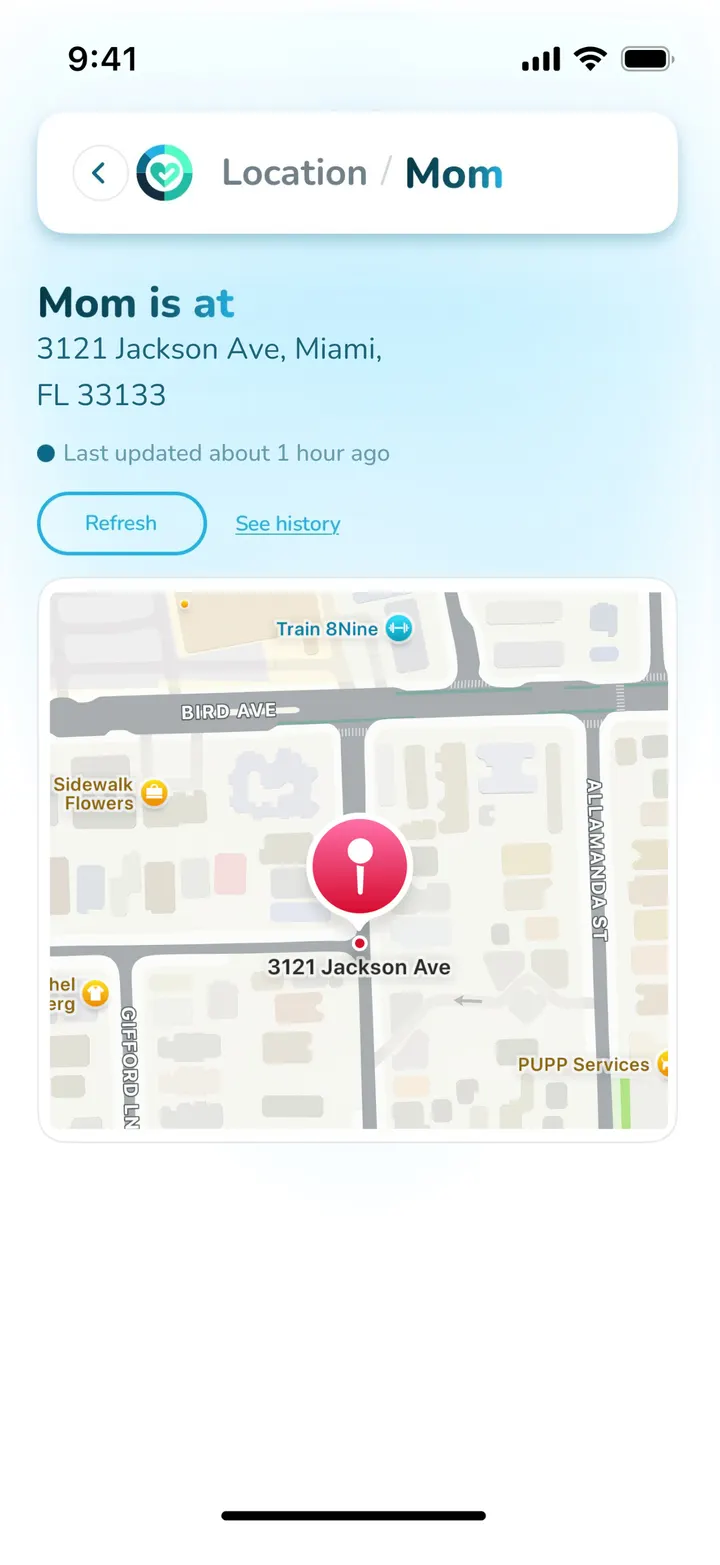
Emergency Widget
Your name and the phone numbers of the people you chose appear on your phone’s lock screen the moment you leave home — visible day and night while you’re out.
Your family sets it up once, with a primary and a secondary contact. Anyone who finds you can read who you are and who to call — no unlocking, no scrolling through apps.
Built for the moments that matter most.
Buy Caretaker Lifetime Deal for $25
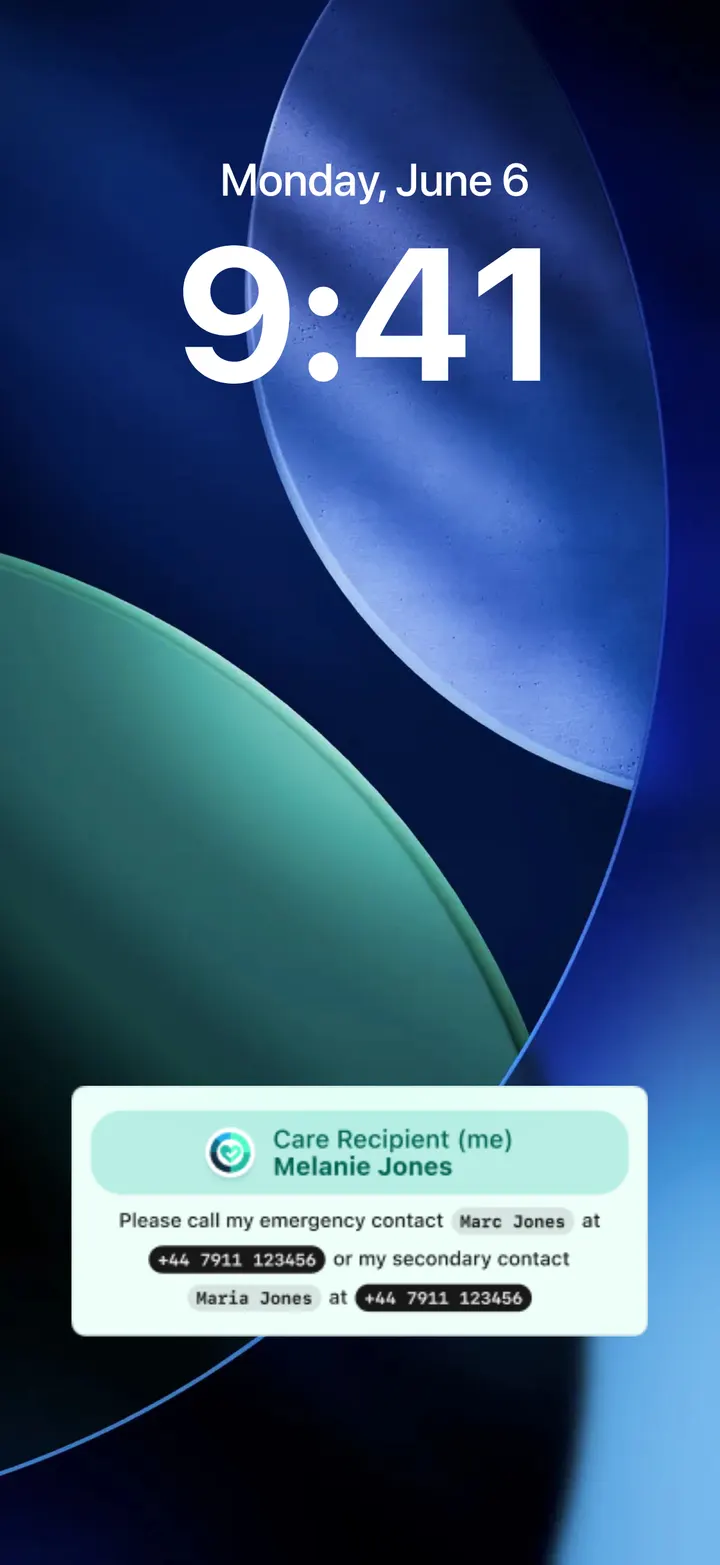
Calendar View & Daily Reminder View
See your whole week at a glance, or zoom in on today — whichever feels easier.
Reminders, appointments, and check-ins all live in one calm, beautifully simple view designed for older eyes and hands.
No clutter. No tiny text. Just a clear picture of your day.
Buy Caretaker Lifetime Deal for $25
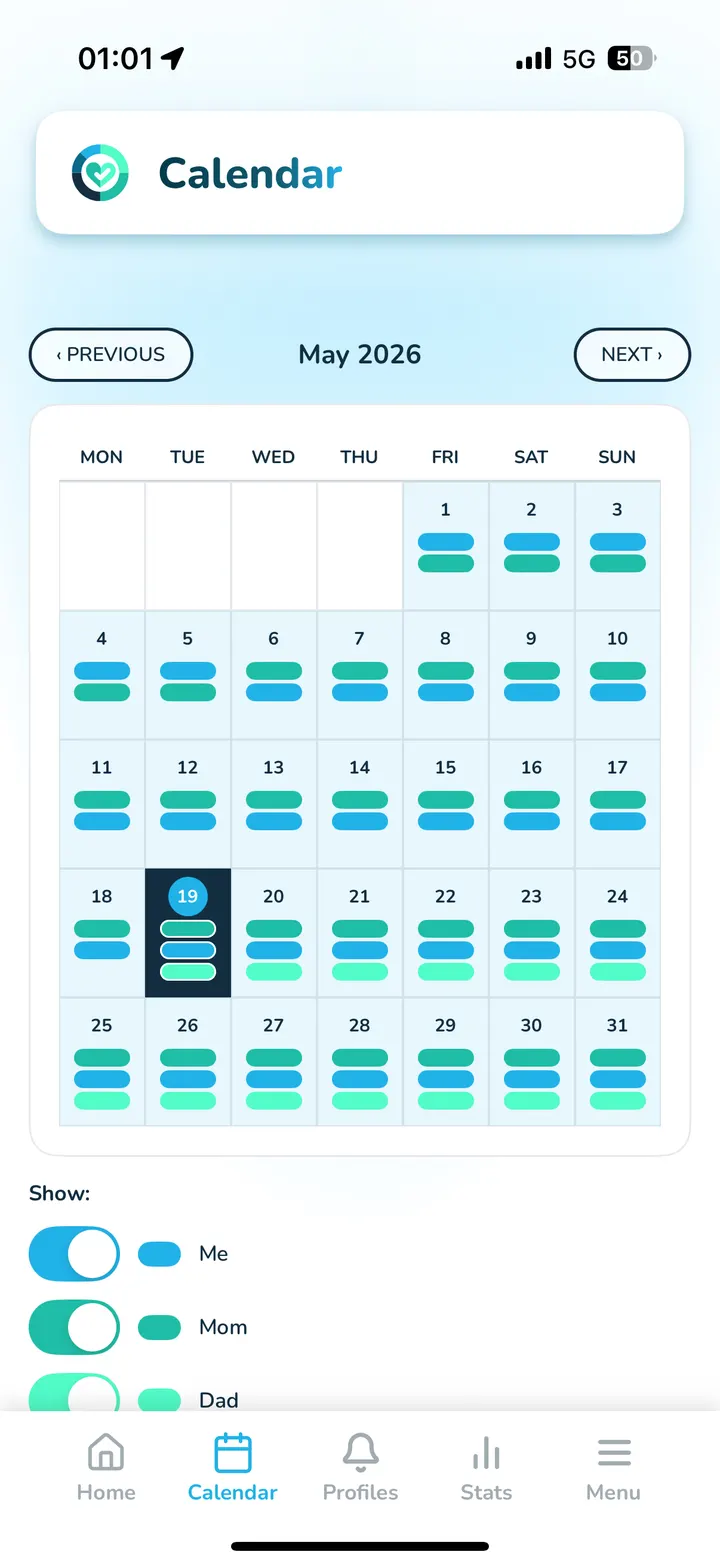
Emergency Video Call
See a familiar face the moment you need one. One large green button starts an emergency video call with your family.
Their phone lights up like a real call — even if it’s in their pocket, even if their phone is silent.
A real, face-to-face conversation when it matters most.
Buy Caretaker Lifetime Deal for $25
Made for Seniors
Big text. Big buttons. Big breathing room. Every screen has been designed for older eyes, older hands, and a calm pace.
No confusing menus. No tiny icons. No surprise pop-ups trying to upsell you something.
Just the things you need, exactly where you expect them to be.

Limited Lifetime Offer
Why Lifetime Access Is the Smartest Choice You Can Make
Pay Once • Own It Forever
The Caretaker Family monthly plan is usually $20 every month.
That’s $240 a year… and $1,200 over the next five years.
Today, you can lock it in for a single one-time payment of $25.
That’s less than the cost of two months of the Family monthly plan, with no monthly payments afterward.
Monthly plan
$1,200+
over 5 years
Regular price: $20 per month
Lifetime
$25
once — yours forever
- No monthly bills, ever.
- No surprise price increases — locked in for life.
- All current feature updates included. Free. Forever.
This is your one-time investment in your family’s peace of mind, for years to come.
The complete Caretaker solution becomes yours for life — every current feature and all its updates, included forever.
Secure one-time payment • 30-day money-back guarantee • Instant access
Secure checkout
Give Mom or Dad peace of mind.
You can’t be with them every hour of the day. Caretaker quietly checks in every morning, reminds them about their medications, and puts your phone numbers on their lock screen whenever they leave home.
And if something ever feels off, one tap starts a video call straight to you.
One payment of $25 — no monthly bills, ever.
One-time payment • No monthly fees ever • 30-day money-back guarantee • Instant access on your phone

You’ve taken care of so much in life.
You raised a family. You worked hard. You kept everyone else going.
Now let Caretaker quietly take care of the daily details — so you can keep living with the freedom and confidence you deserve.
Secure checkout • Instant access • Loved by independent seniors and family caregivers around the world
Frequently Asked Questions
Questions families ask before they buy
PAYMENT AND "LIFETIME"
FAMILY AND INVITES
SETUP AND EASE
FEATURES
PRIVACY, DEVICES AND SUPPORT
How to Use & Install
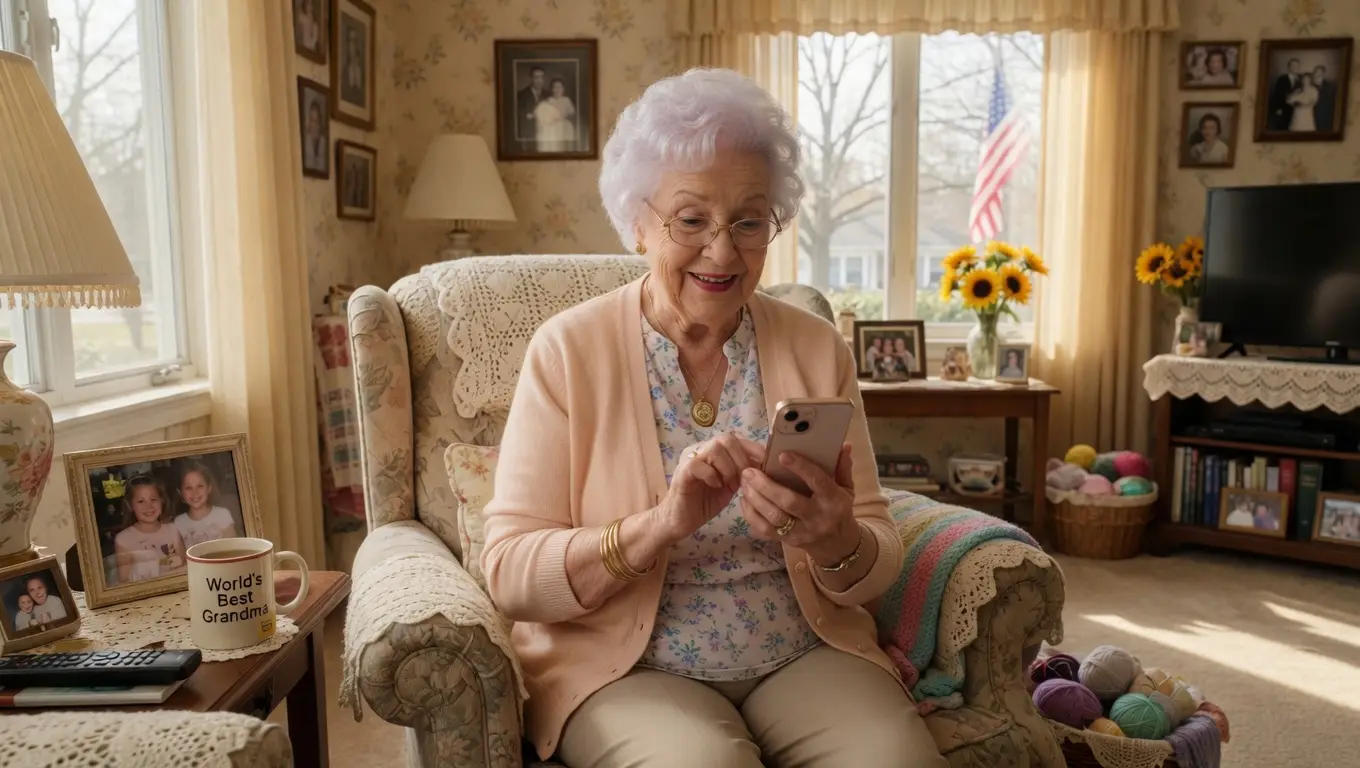
Up and running in under five minutes. No tech skills needed.
1. Download the app
Install Caretaker from the App Store or Google Play. It opens with a single tap.
2. Set up your profile
Add your check-in time and the reminders that matter to you — medications, appointments, anything.
3. Invite your family
Send a simple invite link. Your loved ones download their free companion app — and you’re all connected.
That’s it. You stay in full control from day one.
Built for the Whole Family
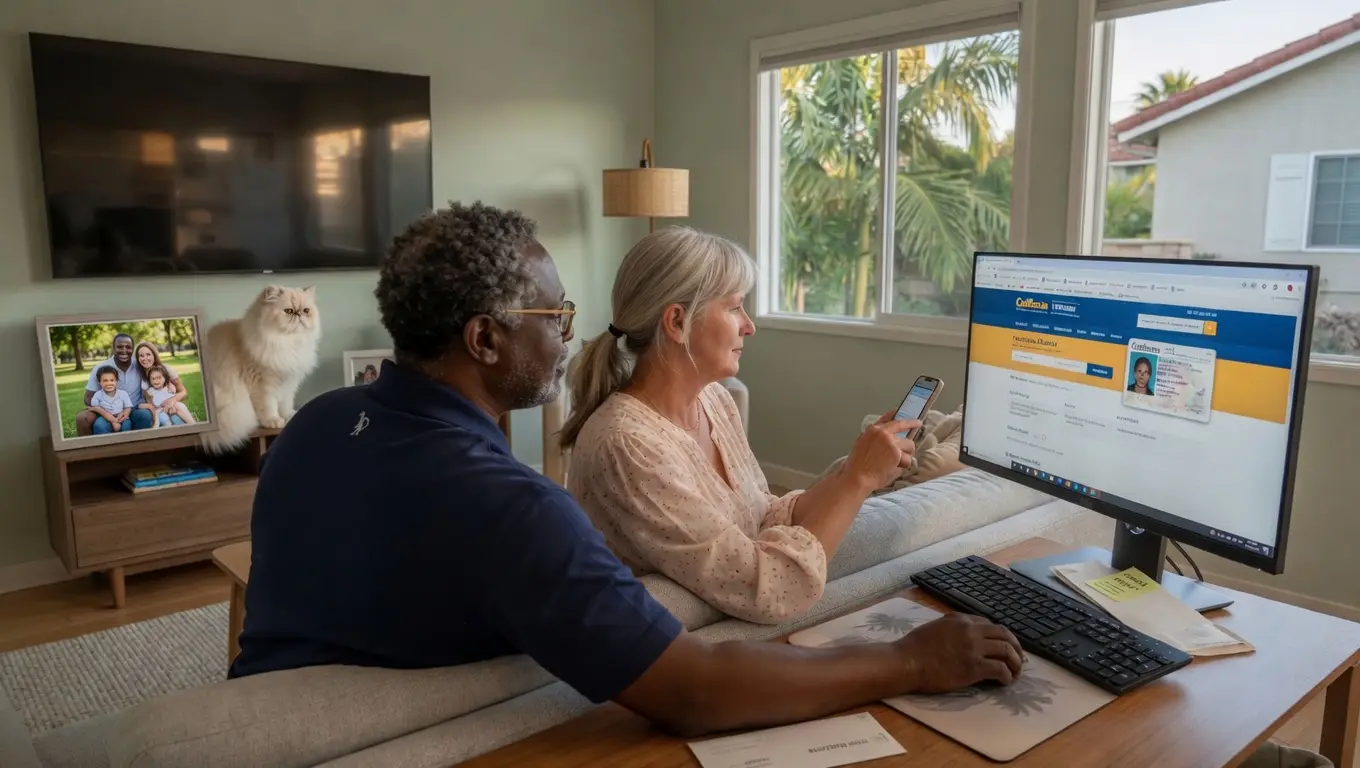
Caretaker is designed for your whole family — add up to 5 CareTakers and CareRecipients (your kids, your spouse) and share the most important information with them. Show them Caretaker first if you’d like — copy the link below:
You Are in Control — Always
Caretaker is built around your privacy and your choice. Nothing happens that you didn’t personally turn on.
You choose who sees what
Only the people you personally invite ever see your check-ins, reminders, or location. Nobody else. Ever.
You choose every notification
Every reminder, every nudge, every alert can be turned on or off any time. Loud, gentle, or silent — your call.
Your data is yours
We never sell your information. We never show ads. Your private life stays private — that’s the whole promise.
We're Here to Help
A real human reads every message. We want to hear from you — questions, ideas, anything at all.
Chat
Reach out on our chat
We usually answer fast — in business hours. If we're not there, send an email or visit the FAQ section.
Hours
Monday – Friday
9:00 am – 6:00 pm (ET). Weekend messages are answered first thing Monday morning.
Life Long Technology & Science Ltd · 2nd Floor College House, 17 King Edwards Road, Ruislip, London HA4 7AE, United Kingdom

Lifetime & Money-Back Guarantee
We know you’ll love Caretaker. If, however, it isn’t right for you, we’ll refund every cent.
One-time payment
Pay just $25 once. No monthly fees.
30-day money-back
Full refund within 30 days, no questions asked.
Instant access
After checkout, you'll get an email right away. Confirm your account, download Caretaker and sign in with the email you used at checkout.
Owned forever
Yours for life — all current feature updates included free.
Secure checkout • Instant access • Loved by independent seniors and family caregivers around the world
Secure checkout
Pay once. Your whole family has Caretaker for life.
No subscription. No renewals. Nothing more to pay, for you or anyone in your Family Circle.
- One payment of $25. No monthly fees, no yearly renewals, no hidden charges.
- Covers up to 5 family members.
- Their family app is free, now and always.
- All current feature updates included. Free. Forever.
- Our pledge: we never, ever sell your data.
One-time payment • No subscription, ever • Secure checkout